


Starlink Mini Mount for Milwaukee PACKOUT
Description
Mount Your Starlink Mini to Your Milwaukee PACKOUT Setup
Give your Starlink Mini a dedicated mounting point on a compatible Milwaukee PACKOUT insert. The Mohave Custom Design mount uses a 1/4"-20 through-bolt, washer, and nut to clamp the mount firmly to the insert. It’s a straightforward way to build Starlink Mini into a PACKOUT setup for camp, a job site, or remote work.
Quick Details
- Device: Starlink Mini
- Mounting location: One Milwaukee PACKOUT slot
- Mounting method: Bolt-through connection
- Included hardware: 1/4"-20 bolt, washer, and matching nut
Why You’ll Like It
- Firm mechanical connection: The bolt, washer, and nut clamp the mount to the insert.
- Dedicated Starlink Mini fit: Gives your Mini a defined spot in your PACKOUT setup.
- Easy Removable: Simply slide out the PACKOUT insert to remove the mount when you reconfigure your gear.
Compatibility
Designed for the Starlink Mini and a compatible Milwaukee PACKOUT insert.
Fitment Questions?
Send us your PACKOUT insert model or a photo of both sides of the mounting area. We’ll help you check the fit before ordering.
Installation Instructions
Shipping & Returns
Shipping & Returns
Shipping: Most orders ship within 1–3 business days from Lake Havasu City, Arizona. Made-to-order items may take longer. Typical U.S. delivery is 3–7 business days after shipment. Shipping options and rates are shown at checkout, and tracking is emailed when available.
Returns: Eligible items may be returned within 14 calendar days of delivery. Items must be unused, in their original condition and packaging, with proof of purchase. Customers are responsible for return shipping; original shipping charges are generally nonrefundable. Custom orders and discounted blemish items are final sale.
Need help? Contact contact@mohavecustomdesign.com for return assistance or fitment questions. If your order arrives damaged, incorrect, or incomplete, contact us within 7 days with your order number and photos.
View our full Shipping Policy and Return Policy.
Questions before ordering? Send us a message.
Need help choosing the right mount or confirming fitment? Send us your vehicle’s year, make, and model, along with the product you’re considering. Photos of your mounting location are helpful, too.
We’re happy to answer questions about installation, compatibility, and what’s included so you can order with confidence.
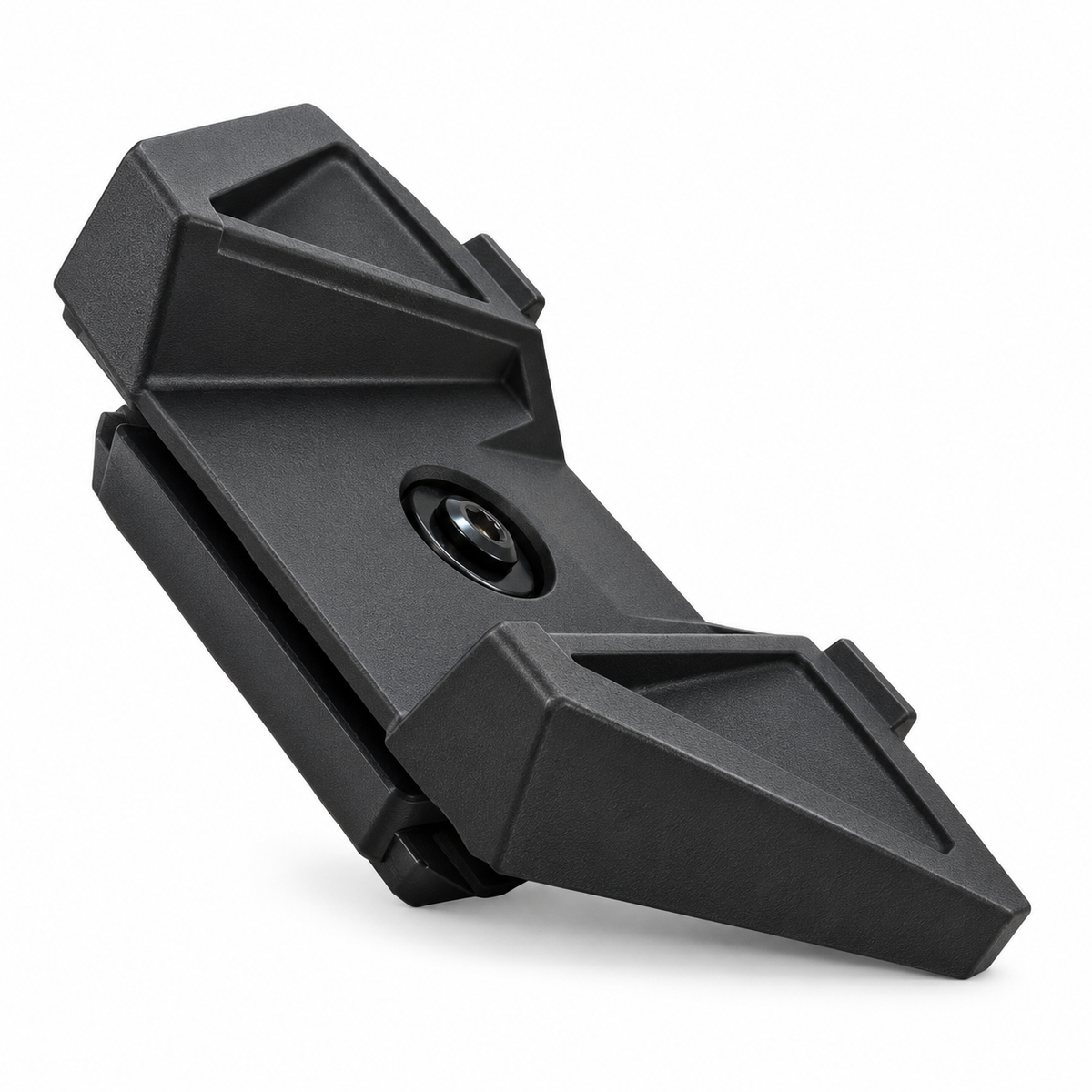
Secure your Mini in place
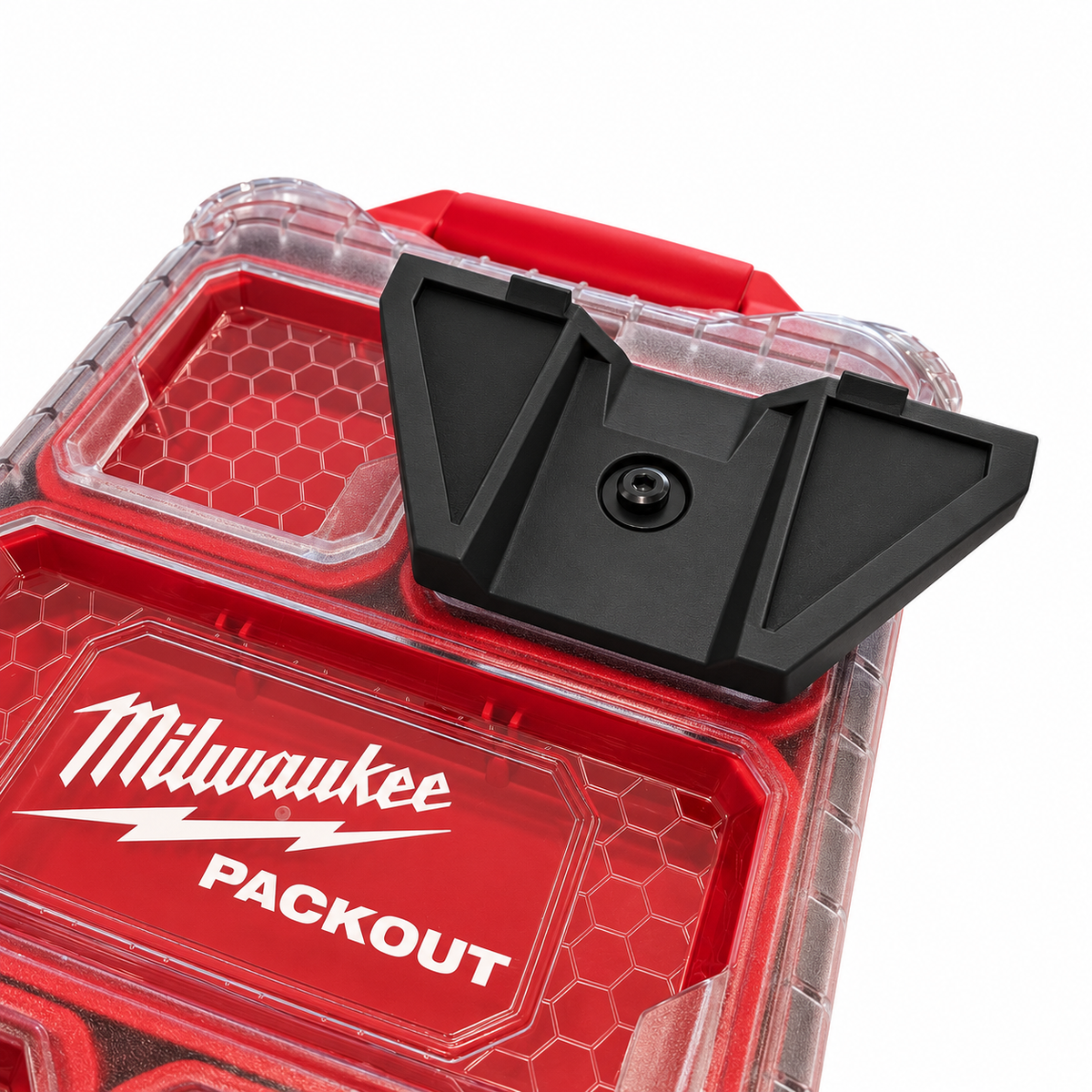
PACKOUT slot mounting
Fits one compatible PACKOUT insert slot.
Starlink Mini fit
Made for the Starlink Mini.
PACKOUT slot mounting
Fits one compatible PACKOUT insert slot.
PACKOUT slot mounting
Fits one compatible PACKOUT insert slot.
Bolt-through connection
Slide out the insert to remove the mount.
Bolt-through connection
Bolt, washer, and nut clamp it firmly.
Bolt-through connection
Slide out the insert to remove the mount.
Removable setup
Slide out the insert to remove the mount.
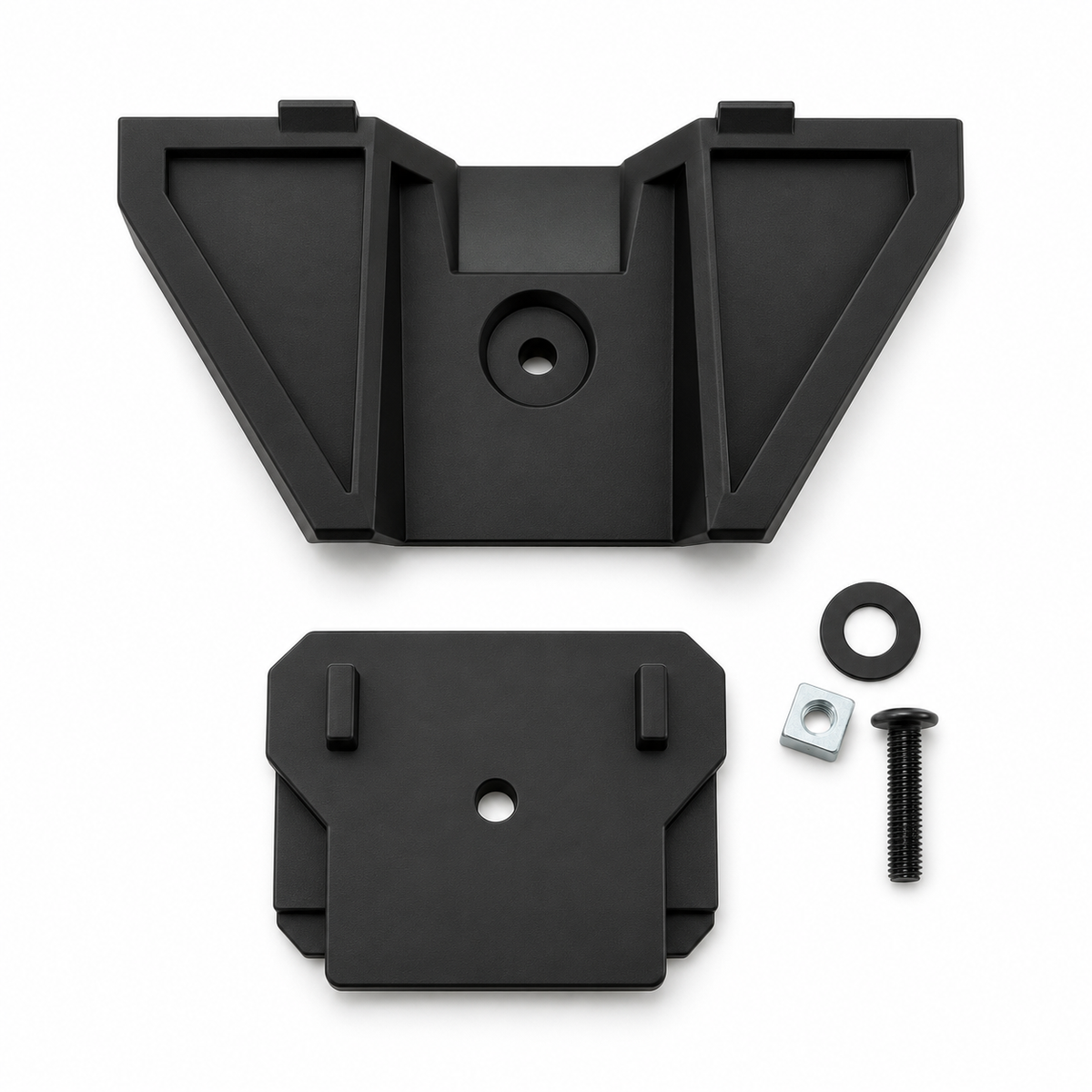
Reconfigure your gear easily
Frequently Asked Questions
Secure Checkout
Safe and easy payments every time
Fast Shipping
Get your order delivered quickly
Customer Support
Friendly help whenever you need it
Easy Returns
Shop with confidence, hassle-free